Subscription Editor
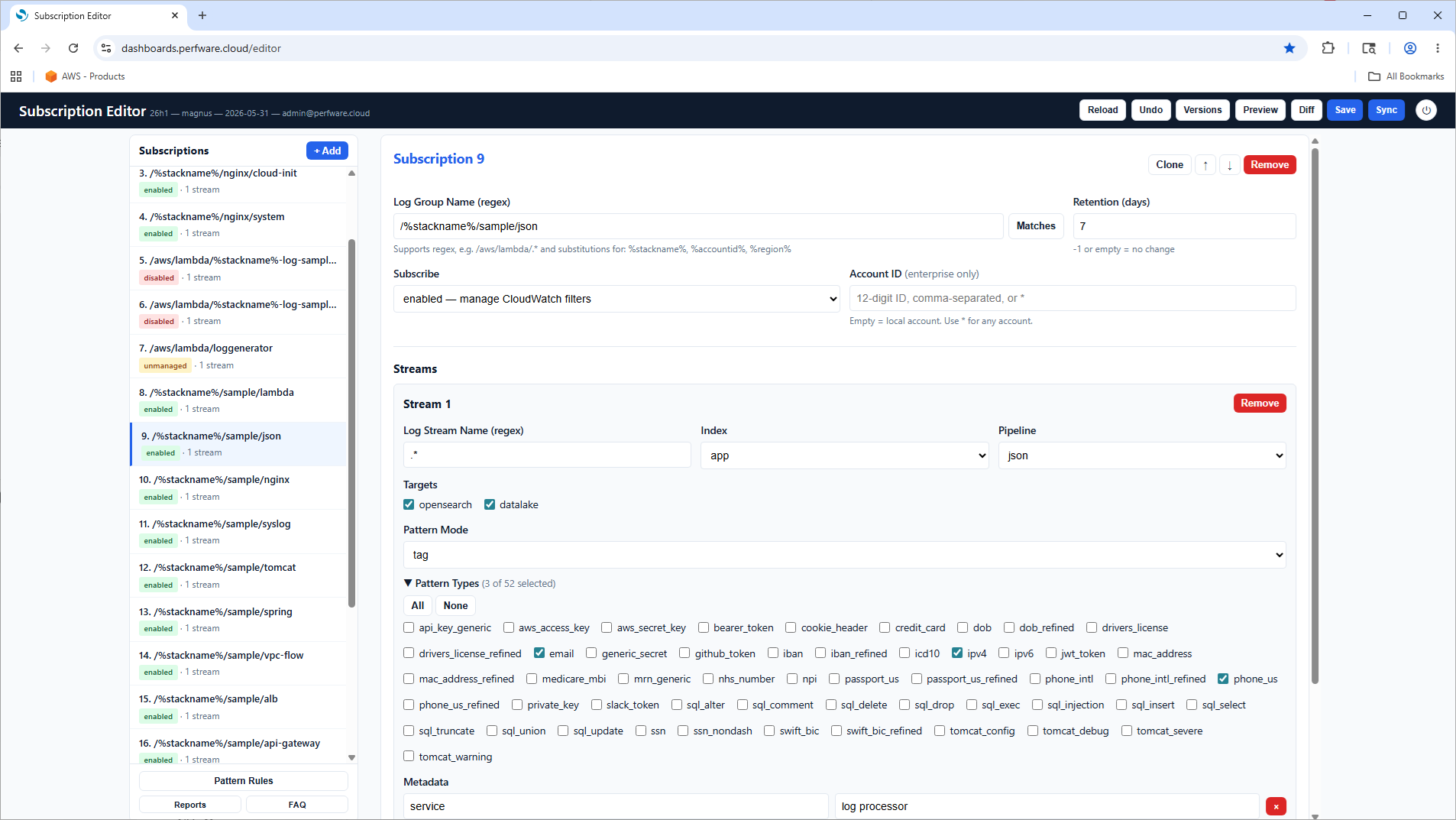
The Subscription Editor is a built-in web UI for managing log-group subscriptions, available on the Essential tier and above. It is hosted in S3 and protected by Cognito authentication.
What you can do
- Add log groups and configure per-stream routing to different indexes.
- Set CloudWatch Logs retention per subscription.
- Define and edit pattern-detection rules.
- Manage queryable log metadata as user-provided name/value pairs.
Editing experience
- Regex validation on log-group and pattern rules, with a live Matches button to preview which log groups a regex matches.
- Diff preview before saving so you can review changes.
- Version history with one-click rollback — rollback loads into the editor for review before saving, with full undo support. Version history is maintained in S3, so you can revert to any previous configuration.
- Auto-save drafts every 30 seconds.
- Dirty-state indicators — Save, Undo, and Diff buttons are disabled when there are no unsaved changes, and an unsaved-changes dot appears in the header.
- Pattern rule import/export as JSON, with pattern-name validation (alphanumeric and underscores only).
- Session handling — session-expiry detection with automatic notification on 401/302 responses, plus a keepalive ping every 30 seconds.
No redeployment is needed — saved changes are picked up automatically.
Compliance reports and scheduling
The editor also manages compliance report generation and scheduling, with a paginated report list (configurable page size of 5/10/15/20), keyboard navigation, and inline report preview.
Remote and cross-account management
On the Enterprise tier the editor supports remote subscription management — browse, subscribe, and unsubscribe log groups in remote accounts in the same region directly from the editor — plus an Accounts management UI to add, remove, and validate remote accounts with one-click role verification. See Cross-Account Ingestion.
Basic tier
The Subscription Editor requires Essential tier or above. On the Basic tier, update the subscriptions JSON file directly in the assets S3 bucket; changes are picked up automatically and version history is retained in S3.